English
 日本語
日本語
 한국어
한국어
 简体中文
简体中文
 繁體中文
繁體中文
 Italiano
 español
 Deutsch
 Русский


Linux Basic Course for Beginners


Lesson Pack Details
- This is a lesson pack of 6 lessons in total. When you send the request for the first lesson, points for all 6 lessons will be deducted at once.
- Once the tutor confirms the first request, “100% OFF coupons” that can be used for the remaining 5 requests will be issued automatically.
- You can use these coupons to send requests for the remaining lessons.
- The validity period for this lesson pack is 90 days starting from the scheduled date and time of the first confirmed lesson.
Even if the first scheduled lesson is canceled, the already set validity period will not change.
You can check the lesson pack’s validity period on the Request > Lesson Pack page.
Description
TARGET AUDIENCE:
Absolute beginners with no Linux experience. It is preferable to have at least some familiarity with computer use on other systems such as Windows or macOS.
OBJECTIVES:
To learn more about Linux by understanding its advantages and disadvantages, to install a Linux distribution, to move around the desktop environment, to manage files and folders, to update the system, to install applications and peripherals, to perform basic customisation, and to learn about troubleshooting resources.
DURATION AND METHODOLOGY:
6 hours Individual student-centred lessons full of examples and practical exercises, flexibility and customisation.
CONTENTS:
Introduction to Linux
- What Linux is and where it comes from, the concept of open source
- Why choose Linux: a comparison with popular operating systems
- There is no such thing as just one Linux. Choose the distribution best suited to your needs: the most important Linux distributions.
- There is no single graphical interface. Introduction and overview of the most common desktop environments.
- Oh but will programme XYZ run on Linux? Clarification about available software. Both proprietary and open source cross-platform alternatives to popular software.
Try Linux without risk: using Linux without hardware installation
- Test options: USB stick, virtual machine
Installing Linux on the PC: real installation on the machine
- Preparation of the actual installation: requirements verification
- The different approaches to installation: Linux-only system, dual boot on the same disk as your main system (Win/Mac) or on a different disk
- Installing the operating system
- Starting Installation
- Language and localisation
- Set the installation destination
- System start-up and login
- Practical guidelines for defining a secure password
- User creation (basic concepts on root and permissions)
- Possible installation of specific drivers and codecs
First steps and how to navigate the system
- Graphic environment: desktop, icons, etc.
- Menus, panels/docks and file manager
- Window Management
- Virtual workspaces and desktops
- Finding and launching applications
- Preferences and customisation: audio, screen, network connections, mouse, power saving, etc.
- Shut down and restart the system
- The Linux file system: how disks, files and folders are organised, differences with Windows and macOS.
- File manager: various ways to view files and folders, create folders, delete, rename, copy and move files/folders
- (Dis)connection of external storage media (disks, sticks, CD/DVD players, SD cards)
- Installation and configuration of applications and drivers
- Updating the system and applications
- Groups and Users
- Access Rights
- Archiving and compression in Linux
Terminal and command line (CLI)
- The basics of the command line: what it is and what it is for
- Basic commands for managing files/folders, installing applications and updating the system, shutting down and rebooting the system from the terminal
Dealing with problems
- What to do if an application or system crashes
- Resources for instructions and troubleshooting
Cafetalk's cancellation policy
Cancellation of pack lessons
(2) A lesson pack with at least one confirmed request. (By confirming the date and time for the first lesson in the pack the tutor confirms the pack as a whole and coupons are automatically issued)
Cancelling individual requests in a pack
Before request is confirmed (fixed)
- Cancellation possible at any time without charge.
After request is confirmed (fixed)
- More than 24 hours before lesson start time.→ Cancellation is possible at any time.
- Less than 24 hours before lesson start time.→ The tutor may take a cancellation fee.
-
No-Show→ The tutor may take a cancellation fee.
(Please check with the tutor for details.)
Lessons by this tutor
 All Lessons
-
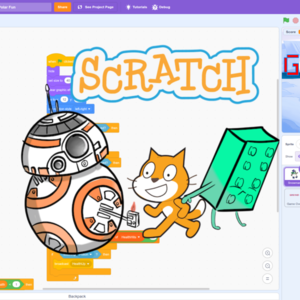
Basic Programming for Kids in Scratch
Fun Introduction To Programming For Kids & AdultsProgramming & Development
45min 3,100PHas Trial -

Digital Art for Kids in English - 3-Pack
Basic graphic digital tools to have fun - 3-lesson packArts for Kids
40min X 3 8,200PPack of 3 -


Digital Art for Kids in English
Basic graphic digital tools to have funArts for Kids
40min 2,800PHas Trial -
-
-
-
-

Italian Writing Feedback - Excercises & Corrections
Proofreading, Editing and Detailed FeedbackItalian
25min 2,800P -
-

Inkscape Basic Course for Beginners
Vector Graphics - Graphic Design Private LessonsDigital Art
60min X 10 9,800PPack of 10 -

Italian Greetings, Introductions, and Basic Small Talk
Get Started with ItalianItalian
60min X 2 3,800PPack of 2 -

ITALIAN - 15-min Conversation
Improve your Italian speaking & listening skills talking to a native teacher!Italian
15min 1,900P -

ITALIAN - 30-min Conversation
Improve your Italian speaking & listening skills talking to a native teacher!Italian
30min 2,200P -

ITALIAN - 60-min Conversation
Improve your Italian speaking & listening skills talking to a native teacher!Italian
60min 3,900P