
 English
 日本語
日本語
 한국어
한국어
 简体中文
简体中文
 繁體中文
繁體中文
 Italiano
 español
 Deutsch
 Русский

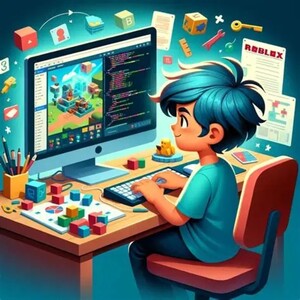
Create Roblox Game Project (10 Lessons)
Descrizioni
Unlike beginner coding lessons that focus on individual concepts, this course is all about bringing your own game idea to life. Whether you dream of creating an Obby, Tower Defense game, Survival game, or something completely original, I'll help you transform your ideas into a playable game while teaching you the game development process used by real developers.
This course encourages creativity, planning, problem-solving, and independent thinking while reinforcing the coding skills you've already learned.
What We'll Build
Every student's project is unique. Depending on your interests, we'll work together to design and develop features such as:
- Interactive maps and environments
- Player spawn systems
- Coins and collectibles
- Enemies and NPCs
- Health systems
- Leaderboards
- Shops and upgrades
- Power-ups and abilities
- Moving platforms and obstacles
- GUI menus and buttons
- Timers and game objectives
- Checkpoints and save systems
- Weapons or tools (where appropriate)
- Special effects, sounds, and animations
The project will be tailored to your skill level and goals.
Skills You'll Develop
This course goes beyond learning syntax—it teaches students how to think like game developers.
Students will learn how to:
- Plan a game before writing code
- Break large ideas into smaller, manageable tasks
- Design game mechanics
- Organize code and game assets efficiently
- Debug and fix coding errors
- Improve gameplay through testing and refinement
- Add new features independently
- Build confidence in solving programming challenges
You'll also strengthen important skills such as logical thinking, creativity, perseverance, and attention to detail.
Concepts Used
Throughout the project, students will naturally apply many of the core Roblox Studio and Lua concepts, including:
- Variables
- Functions
- Events
- Conditionals
- Loops
- Parent-Child relationships
- Object Properties
- Instancing
- Humanoids
- Proximity Prompts
- Debouncing
- Coordinates
- GUI Design
- Leaderstats
- Module Scripts
- Animation and Tweening
- Game optimization and organization
Rather than learning these concepts in isolation, students will see how they work together to create a complete game.
How Lessons Are Taught
This course follows a mentor-style approach, where I guide students through the complete game development process while encouraging them to make creative decisions.
Lesson 1 – Game Planning
We begin by discussing your game idea, identifying its core mechanics, and creating a realistic development plan. Students learn how professional developers break large projects into smaller milestones.
Lessons 2–9 – Build and Improve
Each lesson focuses on implementing one or more features while reinforcing good coding practices. We'll write scripts together, test the game frequently, solve bugs, and improve the player experience. As your confidence grows, you'll take on more responsibility for designing and coding new features.
Lesson 10 – Polish and Publish
In the final lesson, we'll refine the game by improving visuals, fixing remaining issues, adding finishing touches, and discussing how to publish and continue developing the project after the course.
My Teaching Style
I believe that the best way to learn programming is by building something meaningful.
Rather than providing ready-made solutions, I encourage students to think critically by asking questions such as:
- What should happen when the player does this?
- How can we break this feature into smaller parts?
- Which coding concepts can we use to solve this problem?
- Is there a simpler or more efficient solution?
This approach helps students become confident, independent programmers who understand the reasoning behind their code rather than simply copying scripts.
Every lesson is interactive, supportive, and adapted to each student's pace. Questions are always encouraged, and mistakes are treated as valuable learning opportunities.
Who Is This Course For?
This course is ideal for:
- Students who have completed an introductory Roblox Studio course
- Young developers (approximately ages 10+) with basic Roblox Studio experience
- Teenagers interested in game development and programming
- Students who want to create their own original Roblox game
- Learners looking to strengthen their coding and problem-solving skills through a real-world project
Some basic knowledge of Roblox Studio and Lua scripting is recommended, as this course focuses on applying and expanding existing skills rather than introducing programming from the beginning.
By the End of the Course
By the end of these 10 lessons, you'll have made significant progress toward building your own Roblox game while gaining valuable experience in game design, programming, debugging, and project planning.
More importantly, you'll leave with the confidence to continue developing your game independently, adding new features, solving coding challenges, and bringing your future game ideas to life. This course is about becoming not just a Roblox coder, but a creative game developer.
Modalità di cancellazione di questo tutor
Prima che la richiesta sia confermata (fissata)
- La cancellazione è possibile in qualsiasi momento.
Dopo che la richiesta sia stata confermata (fissata)
- Più di 24 ore prima dell'inizio della lezione.→ La cancellazione è possibile in qualsiasi momento.
- Meno di 24 ore prima dell'inizio della lezione→ Il tutor potrebbe richiedere una penale per la cancellazione.
-
No-Show→ Il tutor potrebbe richiedere una penale per la cancellazione. Si prega di controllare i dettagli del tutor.
(Si prega di controllare i dettagli del tutor.)
Le sue lezioni
 tutte le lezioni
-
Roblox Studio Coding Course (19 Lessons)
Have you ever wanted to create your own Roblox games instead of just playing them? This 19-lesson course is designed to teach you how to think like a game developer while building exciting projects in Roblox Studio.Programming & Development
 50min 2,400PLezioni di prova
 -
Conversational English - 25 mins
Practice speaking naturally with a native speaker. Suitable for all levels of speakers: beginners, intermediate learners, advanced learners, improving confidenceEnglish
25min 1,200PLezioni di prova -
Conversational English - 50 mins
Practice speaking naturally with a native speaker. Suitable for all levels of speakers: beginners, intermediate learners, advanced learners, improving confidenceEnglish
50min 2,400PLezioni di prova
