
 English
 日本語
日本語
 한국어
한국어
 简体中文
简体中文
 繁體中文
繁體中文
 Italiano
 español
 Deutsch
 Русский

레슨 상세 내용
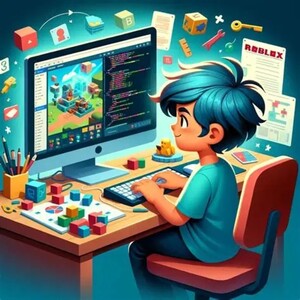
Learn to Code by Building Your Own Roblox Games!
Rather than simply copying code, you will learn why code works, how to solve programming problems, and how to create their own game mechanics with confidence. Every lesson introduces new coding concepts that are immediately applied in fun, hands-on game projects.
Whether your goal is to build obstacle courses, adventure games, simulators, or your own original creations, this course provides the strong foundation needed to continue creating independently.
What You'll Learn
Throughout the course, you will explore the core concepts used by Roblox developers, including:
Roblox Studio Fundamentals
- Navigating Roblox Studio
- Creating and organizing game objects
- Understanding the Explorer and Properties windows
- Parent-Child relationships between objects
- Object properties and customization
Programming Fundamentals (Lua)
You will learn the building blocks of programming, including:
- Variables
- Functions
- Events
- Conditionals (If Statements)
- Loops (For Loops and While Loops)
- Debouncing
- Instancing (Creating objects through code)
- Module Scripts for reusable code
These concepts form the foundation for programming not only in Roblox, but in many other programming languages as well.
Building Interactive Games
You will create increasingly interactive games by learning how to use:
- Proximity Prompts
- Humanoids
- Leaderstats
- Projectiles
- Coordinates (X, Y, Z Positioning)
- BodyPosition
- BodyGyro
- TweenSize animations
- Surface GUIs
- Screen GUIs
- GUI Elements
- UDim2 positioning and sizing
Each concept is introduced through practical game-building activities rather than isolated coding exercises.
Skills You'll Develop
By the end of the course, you will be able to:
- Think like a programmer
- Break large problems into smaller steps
- Read and understand Lua code
- Write their own scripts from scratch
- Debug common coding errors
- Build interactive Roblox mechanics
- Design simple user interfaces
- Create reusable and organized code
- Develop confidence in solving programming challenges independently
More importantly, you will gain computational thinking skills that extend beyond Roblox and are valuable for learning other programming languages in the future.
How Lessons Are Taught
Every lesson follows a structured, project-based approach designed to maximize understanding and creativity.
Step 1 – Learn the Concept
Each lesson begins with a clear explanation of the new programming concept using simple language, real-world examples, and visual demonstrations.
Step 2 – Build Together
You apply the concept immediately by building a game feature alongside the instructor. This guided practice helps reinforce understanding and shows how each concept is used in real game development.
Step 3 – Understand the Code
Instead of memorizing scripts, you are encouraged to ask questions such as:
- What is this code trying to accomplish?
- Why do we need this function?
- What happens if we change this value?
- Is there another way to solve this problem?
This develops problem-solving skills and helps you become an independent programmer.
Step 4 – Extend the Project
You are encouraged to modify, improve, and personalize each project by experimenting with new ideas. This builds creativity and confidence while reinforcing the concepts learned.
My Teaching Style
I believe the best way to learn programming is by understanding, not memorizing.
My lessons are patient, interactive, and highly engaging. I guide you step by step while encouraging you to think critically and discover solutions for yourselves.
Rather than simply giving answers, I ask questions that help you develop logical thinking and coding confidence. Mistakes are viewed as valuable learning opportunities, and every lesson is designed to build both technical skills and problem-solving ability.
You receive guidance throughout the course and are encouraged to ask questions whenever they need support.
Who Is This Course For?
This course is ideal for:
- Children (approximately ages 9+) with an interest in Roblox
- Teenagers who want to learn programming
- Beginners with little or no coding experience
- Students interested in game development
- Future computer science or software engineering students
- Roblox players who want to create their own games instead of just playing them
No prior programming experience is required—just curiosity, creativity, and a willingness to learn.
By the End of the Course
After completing all 19 lessons, you will have a solid foundation in Roblox Studio and Lua programming. More importantly, you will have developed the confidence to design, build, and troubleshoot your own games while understanding the programming concepts behind them.
This course is about more than creating Roblox games—it's about learning how to think like a programmer and building skills that can open the door to future opportunities in coding and technology.
이 강사의 취소 방침
리퀘스트 확정 전
- 언제든 취소 가능
리퀘스트 확정 후
- 레슨 시작 24시간 전→ 언제든 취소 가능
- 레슨 시작 24시간 이내→ 취소 요금이 발생할 수 있습니다.
-
노쇼→ 취소 요금이 발생할 수 있습니다.
(자세한 사항은 강사에게 문의해 주시기 바랍니다.)
이 강사의 다른 레슨
 모든 레슨
모든 레슨
-
Create Roblox Game Project (10 Lessons)
Turn Your Game Idea into a Playable Roblox Experience! In this project-based course, you'll design and build your own Roblox game from the ground up with guidance every step of the way.프로그래밍 & 개발
 50분 2,500P트라이얼 레슨
 -
Conversational English - 25 mins
Practice speaking naturally with a native speaker. Suitable for all levels of speakers: beginners, intermediate learners, advanced learners, improving confidence영어
25분 1,200P트라이얼 레슨 -
Conversational English - 50 mins
Practice speaking naturally with a native speaker. Suitable for all levels of speakers: beginners, intermediate learners, advanced learners, improving confidence영어
50분 2,400P트라이얼 레슨
